Faster downloads that pick up where they stopped
Sahm is a free download manager for Windows. It splits each file across several connections at once and resumes when your internet drops, with no subscription and no ads.
- No ads
- No bundled software
- No account needed
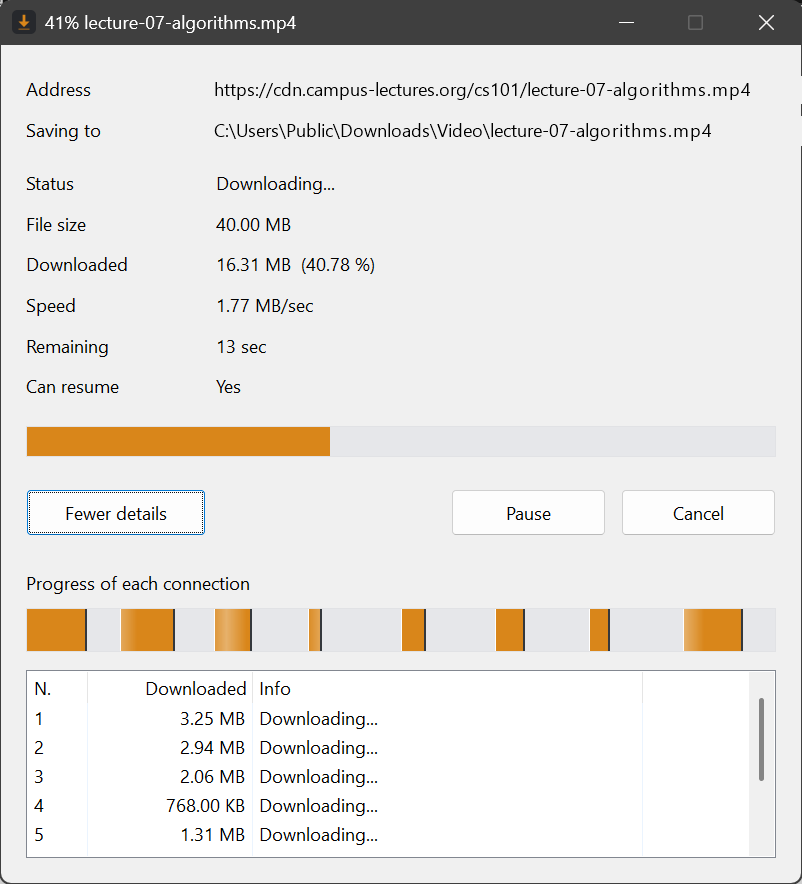
 54% design-lesson-12.mp4
- Address
- https://media.design-lessons.net/course/lesson-12.mp4
- Status
- Downloading...
- File size
- 1.24 GB
- Downloaded
- 684.30 MB (53.89%)
- Speed
- 11.02 MB/sec
- Remaining
- 52 sec
- Can resume
- Yes
| N. | Downloaded | Info |
|---|---|---|
| 1 | ||
| 2 | ||
| 3 | ||
| 4 |
One file, eight connections
Instead of pulling a file from start to finish over a single connection, Sahm splits it into parts and downloads them together. When a connection finishes its part, it takes over half of the biggest part left, so no connection sits idle until the last second.
Splits the file
When a download starts, Sahm splits the file into as many as 32 parts, depending on your settings.
Downloads the parts together
Every part gets its own connection, so you use the full speed of your line instead of a slice of it.
Keeps every connection busy
A connection that finishes helps with the biggest part left, and each part is written straight into its place in the file.
Everything you expect from a download manager
Resume after a drop
If the internet cuts out or you shut down, Sahm continues where it stopped, as long as the server allows it.
Catches browser downloads
An extension for Chrome, Edge and Brave hands files to Sahm with their cookies, so links behind a sign-in still work.
Videos from websites
Picks up the videos a page plays, takes the highest quality and saves them as MP4.
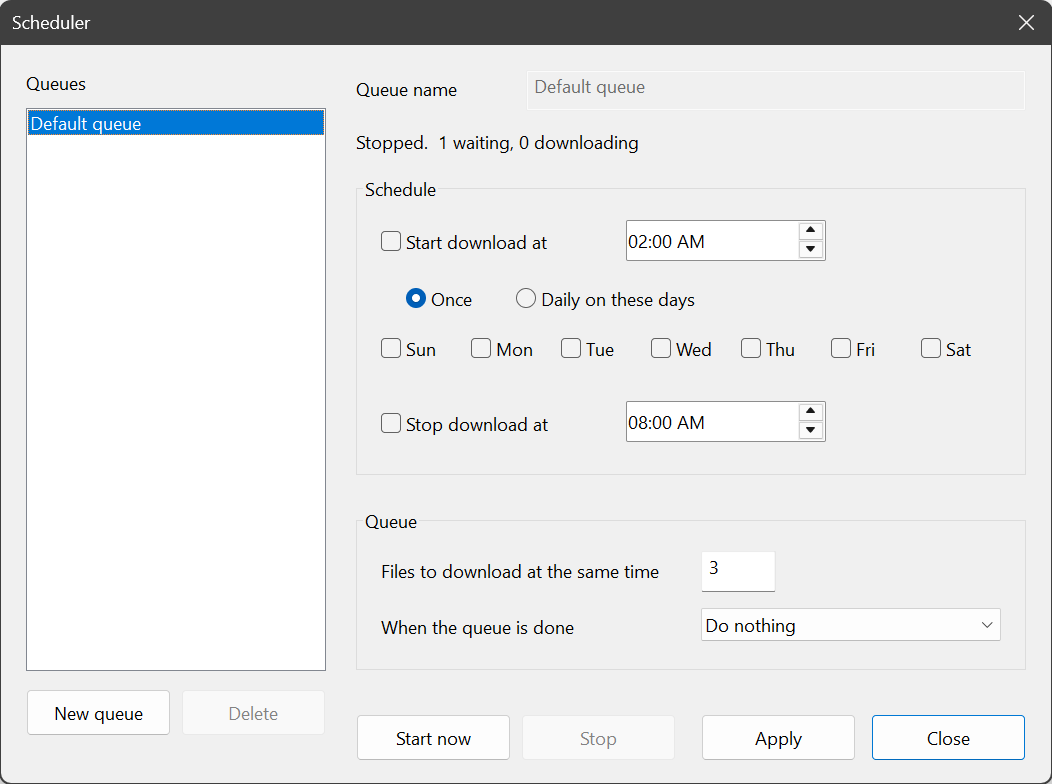
Queues and scheduler
Put downloads in queues, set when they start and stop, and choose what happens when they finish.
File Finder
Enter a page address and the file types you want, and Sahm collects the links from it and the pages it links to.
Speed limit
Cap the download speed so the internet stays usable for everyone else at home.
Antivirus check
Every finished file can be scanned with Microsoft Defender or the program you prefer.
Clipboard watch
Copy a link to a file from anywhere, and the download window opens right away.
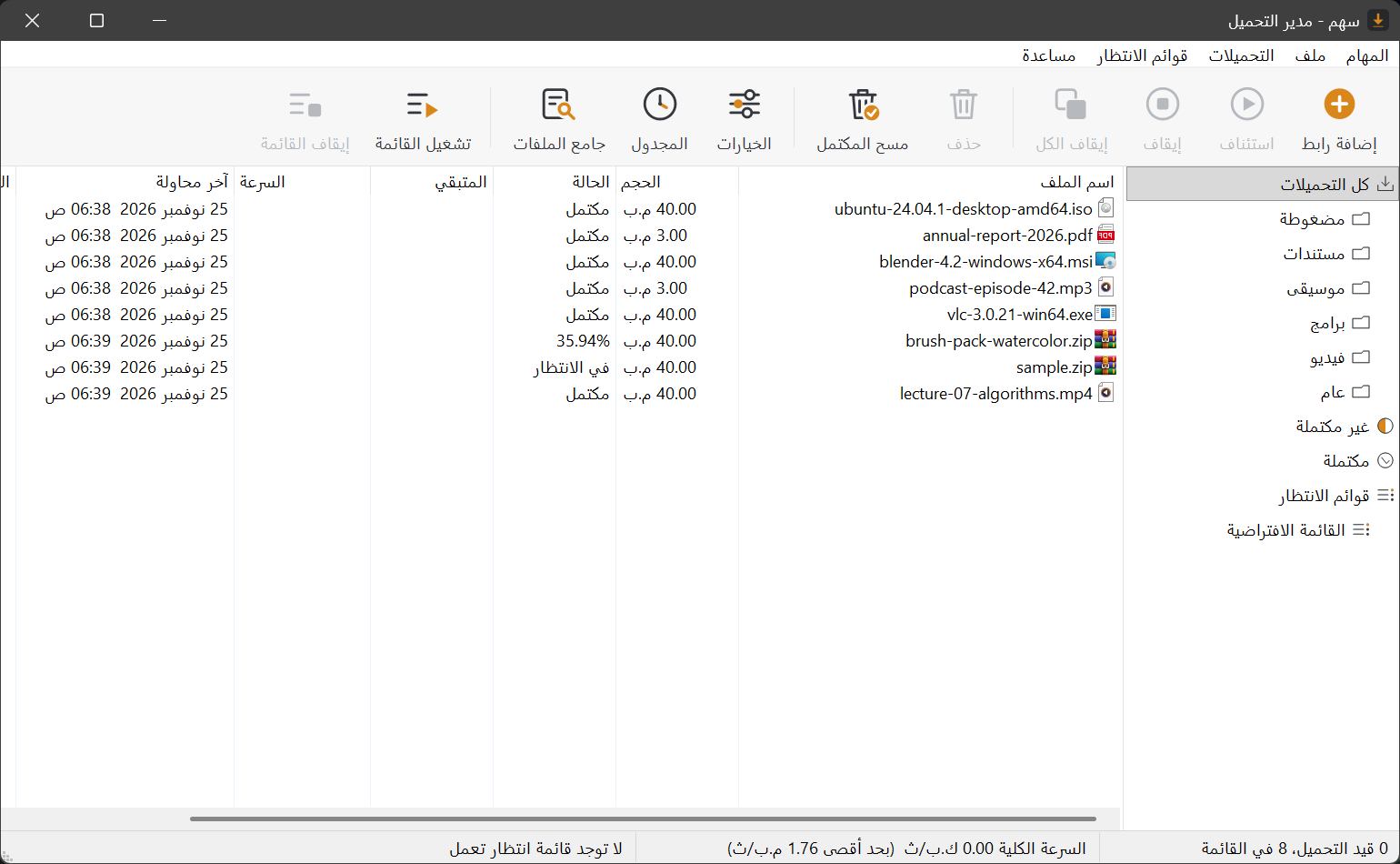
English and Arabic
A full Arabic interface that reads right to left, with support for Arabic file names and links.
What it looks like on your PC
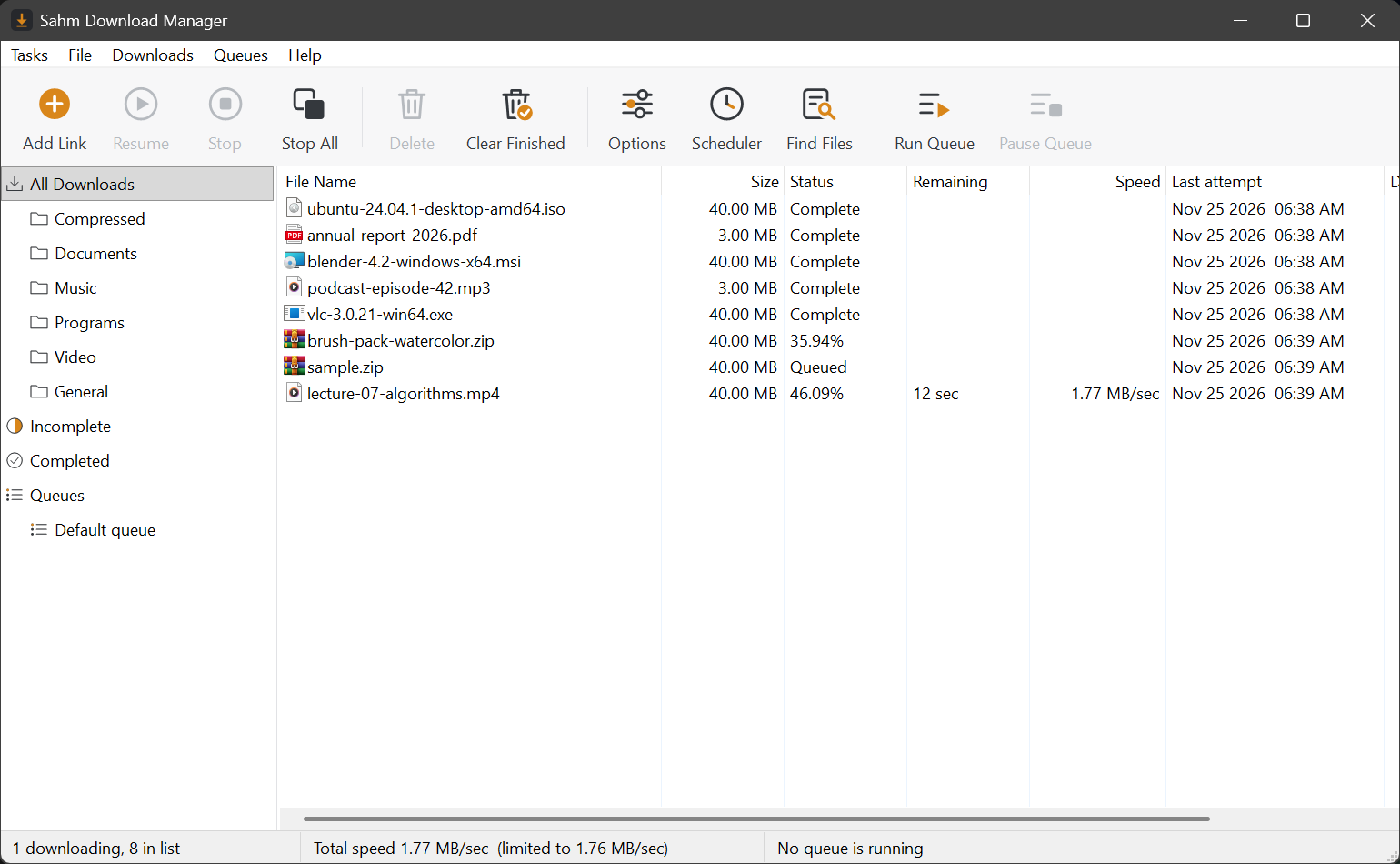
Screenshots of the program itself, in English and Arabic. You pick the language in Options.
Works from inside your browser
Install the Sahm extension once, and your downloads go to Sahm instead of the browser's own download list.
- Catches zip, mp4, exe, pdf and other files the moment you click a download link
- Right-click any link and choose Download with Sahm
- Lists the videos on the page and downloads the ones you pick
SahmVideos on this page
Free for good, with no subscription and no trial that runs out
Download for WindowsQuestions
Is Sahm really free?
Yes. Every feature is free, with no subscription and no ads in the program.
Why do I see "Windows protected your PC"?
Sahm is new and not yet signed with a digital certificate. Click More info, then Run anyway. We are working on signing the program and on a Microsoft Store version.
How do I install the browser extension?
In Edge, install it in one click from Microsoft Edge Add-ons. In Chrome and Brave, until it is published in the Chrome Web Store, open the extensions page, turn on Developer mode, click Load unpacked and choose the extension folder inside Sahm's folder.
Does it work with YouTube?
Not at the moment. Sahm picks up regular videos and m3u8 streams on most websites, but not YouTube or videos protected with DRM.
Where are files saved?
In your Downloads folder, in a subfolder per category: Compressed, Documents, Music, Programs and Video. You can change the place in Options.
Which versions of Windows are supported?
Windows 10 and Windows 11, 64-bit.